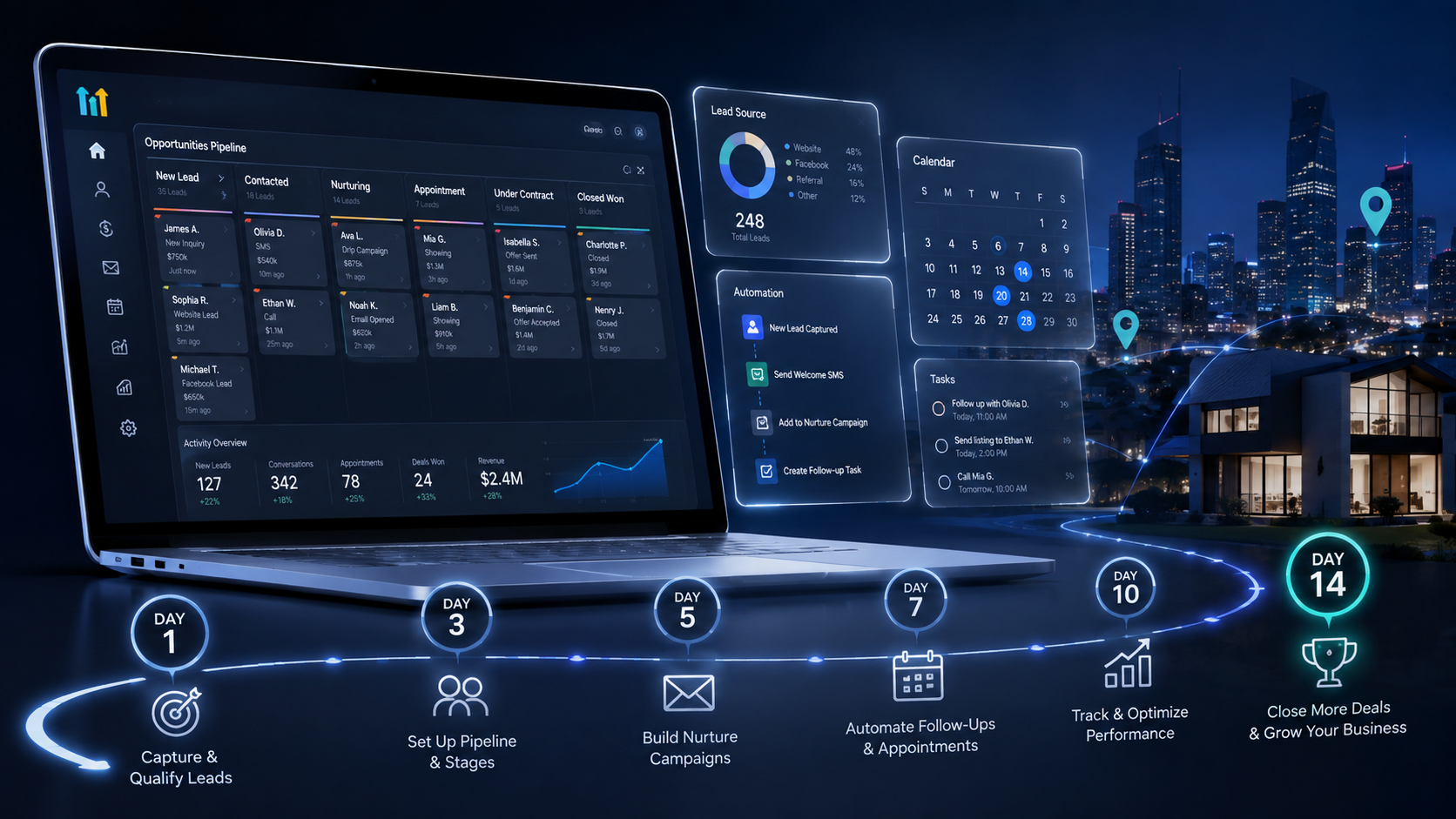
With a focused 14 days and a clear roadmap, you can turn a GoHighLevel trial into a working real estate CRM that actually helps you capture and follow up with leads.
Getting started with a new platform can feel overwhelming, especially when you are juggling showings, inspections, and last-minute offers. That is why the **GoHighLevel 14-Day Free Trial for U.S. Real Estate Agents: A Practical Setup Roadmap** is designed to give you a simple, realistic plan for making the most of those two weeks.
Think of the trial as a sprint, not a demo. If you treat GoHighLevel as a playground where you simply click around and test features, you may end up cancelling before you see its value. But if you treat it as a temporary lab where you build a streamlined lead-generation and follow-up system for your U.S. real estate business, you will get a much better idea of what a well-configured CRM can do for you.
In this guide, we will walk you through what to do each day—or each block of time—so that by the end of your trial, you have live funnels, automated follow-ups, and a clean database you can rely on.
Why GoHighLevel Matters for U.S. Real Estate Agents
Real estate is all about timing and consistent follow-up. You already know how frustrating it can be to see a past client list their property with another agent simply because you did not stay in touch consistently. A strong CRM can help reduce that risk by keeping your contacts organized and automating much of the follow-up process.
With GoHighLevel, your 14-day free trial should focus on three main outcomes:
1. **Centralize your contacts and deals in one place** 2. **Automate repetitive follow-ups you often put off** 3. **Create a clear pipeline so you always know which leads need attention**
You are not trying to build a perfect system in two weeks. Your goal is to create a simple, reliable foundation that you can improve over time.
Before Day 1: Clarify Your Real Estate Workflow
Before you even log in, take a few minutes to map out how business currently flows through your U.S. real estate agency.
Ask yourself:
- Where do most of your leads come from today—Zillow, referrals, open houses, Facebook ads, your website, or somewhere else?
- What are the typical stages a lead goes through—new lead, contacted, engaged, showing, under contract, closed, or nurture?
- Which follow-ups do you frequently forget or delay, such as birthday messages, six-month check-ins, or open house follow-ups?
Write everything down on paper or in a notes app. In our experience, spending 10 to 15 minutes thinking through your current workflow makes the rest of your GoHighLevel setup much easier. You will be building around a real process instead of randomly adding features.
Day 1–2: Account Setup and Core Settings
The first two days are about getting the foundation right.
Create Your Workspace and Add Your Branding
When you first log in:
- Complete your profile with your name, brokerage, and contact information.
- Add your logo and brand colors so your emails and funnels match your existing brand.
- Connect your domain or create a subdomain if you have one, such as `leads.yourdomain.com`.
Taking the time to brand your account early makes everything you build feel like a natural extension of your existing U.S. real estate business.
Connect Your Communication Channels
Next, connect the tools you already use:
- **Email:** Connect your main business email so campaigns are sent from a familiar address.
- **Phone/SMS:** Set up a business number inside GoHighLevel for calls and text-message campaigns.
- **Calendar:** Connect your calendar so appointments can sync and prospects can book time with you without the usual back-and-forth.
This step is essential to getting the most out of your GoHighLevel 14-day free trial. If you skip it, you will end up testing individual features in isolation rather than seeing how the entire system works together.
Day 3–4: Build Your Real Estate CRM Structure
Now we get into the CRM itself.
Define Pipelines for Buyers and Sellers
Most U.S. real estate agents need at least two pipelines:
- Buyer pipeline
- Seller pipeline
For each pipeline, create stages that match how you actually work. For example:
- New lead
- Contacted
- Appointment set
- Active search or active listing
- Under contract
- Closed
- Long-term nurture
You can adjust these names to fit your workflow, but try not to create more stages than you actually use. The goal is to have a pipeline you can glance at and immediately understand where everyone stands.
Create Custom Fields for Real Estate Details
A generic CRM may not include all the information you need for real estate, so add custom fields such as:
- *Buyer:** Price range, preferred neighborhoods, financing type, pre-approval status
- *Seller:** Property address, estimated value, timeline to sell, reason for selling
- *Lead source:** Referral, website, open house, sign call, social media
Once this is done, your GoHighLevel setup becomes much more useful. Every contact card can serve as a quick snapshot of the client's situation rather than just a name and phone number.
Day 5–6: Import and Clean Your Contacts
A CRM with no data is just an empty shell. This part can feel tedious, but we have seen it completely change how agents manage their day.
Prepare Your Existing Lists
Gather contacts from:
- Your phone
- Email lists
- Spreadsheets containing past clients
- Lead portals
Before importing your contacts, take some time to clean up the data:
- Remove obvious duplicates.
- Fix incorrectly formatted phone numbers or email addresses when possible.
- Tag contacts by type, such as past client, active buyer, hot seller lead, vendor, or other relevant categories.
Then import your contacts into GoHighLevel and map the fields correctly, including any custom fields you created.
Now your CRM is working with real contacts rather than test leads. You can start to see its value because filters, smart lists, and automations can now work with your actual database.
Day 7–8: Create Your First Real Estate Funnel
A funnel is simply a guided path for a lead: They see an offer, provide their information, and enter your CRM with a clear reason for reaching out.
Choose One Simple Offer
For U.S. real estate agents, one solid funnel to build during the trial could be:
- An instant home value estimate for sellers
- A list of new listings within a specific price range or ZIP code for buyers
- An open house registration page
Pick one that matches your current business focus. Trying to build too many funnels during the 14-day trial usually results in half-finished assets that you never actually use.
Build the Page and Form
Inside the funnel builder:
- Create a clean landing page with one main call to action.
- Add a form that asks for the lead's name, email, phone number, and one or two key details, such as their price range or property address.
- Connect the form to the appropriate buyer or seller pipeline.
- Assign a starting stage, such as **New Lead**.
Keep the design simple. A clear headline, a short explanation, and a strong offer will usually perform better than an overly complicated layout.
Day 9–10: Automate Follow-Up for New Leads
This is where a CRM like GoHighLevel really starts to pay off.
Set Up a Basic Nurture Sequence
For leads entering your new funnel, create a simple follow-up sequence:
1. **Immediately:** Send a text thanking them for requesting the information and letting them know when they can expect to hear from you.
2. **Same day:** Send an email delivering whatever they requested, such as a home value estimate or listing report.
3. **Day 2:** Send a quick follow-up asking one specific question to start a conversation.
4. **Days 4 and 7:** Send value-focused emails with market insights, buyer or seller tips, or a brief introduction to how you work.
Write these messages in your normal voice. Your GoHighLevel system will only work well if the messages sound like you rather than a generic automated system.
Use Smart Triggers
Configure basic rules such as:
- When a new form is submitted, create the contact, add them to the appropriate pipeline, and start the nurture sequence.
- When you move a contact to **Under Contract** or **Closed**, remove them from active campaigns and add them to a long-term nurture sequence.
These small automations eliminate repetitive tasks and reduce the chance of a lead falling through the cracks.
Day 11–12: Build a Long-Term Nurture System
Most people you speak with are not ready to buy or sell immediately. That is where consistent, low-pressure follow-up becomes important.
Create a Past Client and Sphere Campaign
Using your newly imported database, build a simple ongoing campaign that:
- Sends a monthly or quarterly market update.
- Shares local events or helpful homeowner tips.
- Reminds people that you are available for questions, referrals, or a quick property review.
This is not about hard selling. It is about staying top of mind. During your 14-day trial, aim to create enough content to cover the first three to six months so you are not scrambling to come up with something later.
Tag and Segment Your Contacts
Use tags and custom fields to organize your database into groups such as:
- Past buyers vs. past sellers
- Current leads vs. long-term nurture contacts
- VIP referral sources vs. general contacts
Then adjust your messaging based on each segment. For example, you might send different content to an investor than you would to a first-time buyer.
Day 13: Test Your System in Real Life
Before the trial ends, you want to see how everything works together under real-world conditions.
Run Through a Lead Journey Yourself
Test your own funnel:
- Fill out the form as if you were a new lead.
- Confirm that you are added to the correct pipeline and stage.
- Check that you receive the text messages and emails at the expected times.
- Move your contact through the different stages to make sure your triggers and automations behave as expected.
This is one of the most satisfying parts of the 14-day trial because you get to see your system respond without having to manage every step manually.
Make Small Tweaks, Not Big Overhauls
If something feels off, focus on quick wins:
- Adjust subject lines so they sound more like you.
- Shorten emails that feel too long.
- Rename pipeline stages that do not match the way you think about your process.
- Fix any automation that does not behave as expected.
Avoid trying to rewrite or rebuild everything. You can continue tweaking and refining your system for months. The goal during the trial is simply to get a working version live.
Day 14: Decide How You Will Use GoHighLevel Going Forward
On the final day, take 20 to 30 minutes to review what you have built.
Ask yourself:
- Do you now have a single place where all your leads and contacts are organized?
- Do new leads receive automatic follow-up without you having to handle every message manually?
- Can you open your pipeline and immediately see who needs your attention?
- Does the system fit the way you work as a U.S. real estate agent, or does it need more personalization?
If the answers are mostly yes, then your 14-day GoHighLevel trial has done its job. You have moved from wondering whether a CRM is worth using to actually having a working system that supports your day-to-day real estate business.