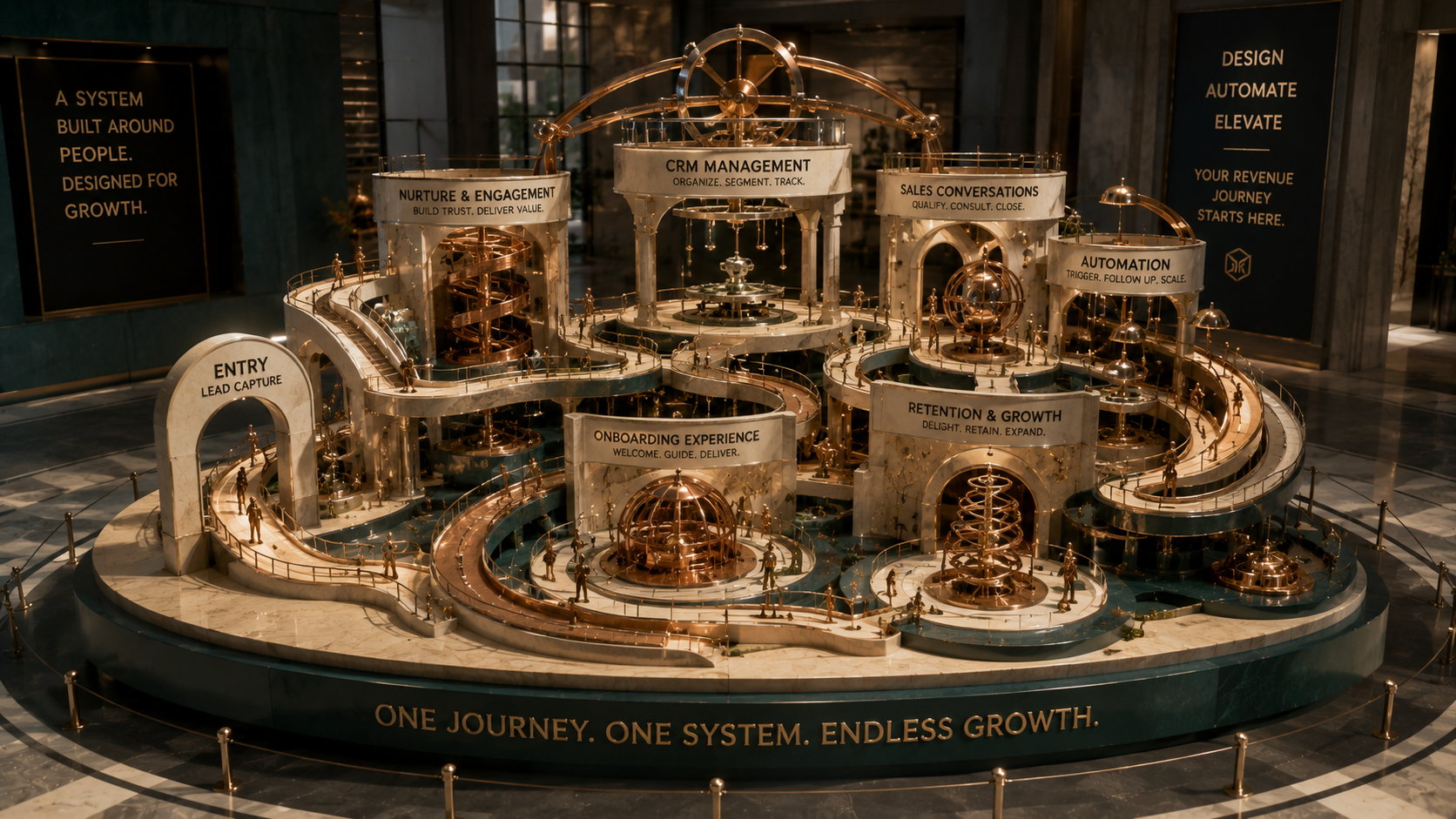
When you connect GHL and CRM Builder with a clear funnel strategy, your leads stop slipping through the cracks and start turning into real customers.
Modern sales funnels are more complex than ever, and trying to manage every stage manually is a fast way to burn time and lose opportunities. We see it all the time: leads come in from different places, follow ups are inconsistent, and by the time you remember to call someone back, they have already chosen someone else.
That is exactly where a well configured GHL and CRM Builder setup can quietly transform how you work every day. When your CRM is doing the heavy lifting in the background, you can focus more on conversations and less on copy‑pasting data between tools or wondering who you forgot to call.
In this guide, we will walk you through how we approach building and improving sales funnels using GoHighLevel CRM Builder, from mapping your customer journey to setting up practical automations that actually match the way you sell in real life.
Why GHL and CRM Builder Is Ideal For Funnel Management
A lot of tools promise automation, but they can feel overwhelming or too disconnected from everyday operations. We like GHL and CRM Builder because it brings your core sales and marketing actions into one place so you can see the whole picture at a glance.
Instead of juggling separate systems, you get:
- One central view of your leads, deals, and conversations - Tools to build landing pages, forms, and pipelines in the same platform - Built‑in CRM automation services that connect each stage of the funnel
When everything is under one roof, it becomes much easier to design funnels that are simple, consistent, and repeatable.
Step 1: Map Your Real‑World Sales Journey
Before we ever touch a GoHighLevel CRM Builder screen, we start with something low tech: mapping your actual customer journey on paper or a whiteboard. It sounds basic, but it is where the biggest clarity shows up.
Ask yourself:
- Where do most of your leads come from right now - What are the first three touchpoints they usually have with you - When do serious buying conversations usually happen - At what moments do you often lose people or forget to follow up
Once you can see that journey, we translate it into specific stages inside GHL and CRM Builder. For example: New Lead, Qualified Lead, Discovery Call Booked, Proposal Sent, Won, and Lost. Suddenly, your funnel is not just a concept; it is a set of concrete steps that your CRM can track and automate.
Step 2: Build a Simple, Focused Funnel Structure
With the journey mapped, we build the core funnel inside GoHighLevel CRM Builder. A clean structure is more important than a dozen fancy workflows that nobody checks.
Here is how we usually break it down:
1. Capture A landing page or form that collects essential details, like name, email, phone, and the specific service they are interested in. This is the starting point for your CRM automation services.
2. Nurture A sequence of emails and text messages that provides value, answers common questions, and gently invites the lead to book a call or demo.
3. Convert A clear path to an appointment, consultation, or quote request, with automated reminders so people actually show up.
4. Follow up Systematic follow ups for leads who did not book, did not show, or said “not yet” the first time.
The goal here is not perfection. It is to create a funnel that feels aligned with how you naturally communicate so it is something you can maintain and improve over time.
Step 3: Use CRM Automation Services To Protect Every Lead
Once the basic funnel is in place, we turn on the parts that save you time and prevent missed opportunities. With GHL and CRM Builder, even small automations can make a noticeable difference.
A few examples of automations we regularly implement:
- Instant lead acknowledgement As soon as someone fills out a form, they receive a friendly confirmation email or text so they know you received their request.
- Smart lead routing New leads are automatically assigned to the right team member or pipeline, based on service type, location, or source.
- Follow up sequences If a lead does not reply, the system sends a gentle reminder after a set number of days with a clear next step.
- No‑show and reschedule flows Missed appointments trigger a simple message with a link to reschedule instead of leaving the slot lost forever.
Each of these automations is small on its own, but together they create a safety net so every contact is acknowledged, followed up with, and given a path forward.
Step 4: Create Useful Dashboards And Reporting
Data is only helpful if you can understand it quickly. Inside GoHighLevel CRM Builder, we set up visual dashboards that show the metrics that actually matter to your funnel.
Typically, we focus on:
- How many leads are entering each pipeline per week - Conversion rates from one stage to the next - Average time a lead stays in each stage - Revenue tied to specific pipelines or campaigns
When you can log in and see, in a few seconds, where leads are stuck or which campaigns are performing, it becomes much easier to make smart tweaks. Sometimes the changes are surprisingly small, like adjusting a subject line or adding one more reminder message, and the impact on conversions is noticeable.
Step 5: Constantly Refine Your Funnel Experience
A strong GHL and CRM Builder setup is not something you “set and forget.” Real people are interacting with your messages and pages every day, and their behaviour gives you clues about what to improve.
We like to review funnels regularly by asking:
- Are people opening emails but not clicking to book - Are leads replying with questions we could answer earlier in the sequence - Are certain traffic sources producing better quality leads than others
From there, we experiment with small, focused changes:
- Rewriting a first email to feel more like a real conversation - Adding a short video on a booking page to explain what happens next - Segmenting follow ups based on how engaged someone is
Because GoHighLevel CRM Builder keeps the data and interactions in one place, these refinements are easier to test and track. Over time, your funnel experience starts to feel more human and less like a rigid sequence of automated messages.
Step 6: Align Your Team Around The CRM
Even the best CRM automation services will not perform well if your team is not using the system consistently. We put a lot of emphasis on building simple, clear habits around GHL and CRM Builder.
A few practical habits that help:
- Checking assigned tasks and new leads at the same time each day - Updating pipeline stages after each meaningful interaction - Leaving short notes on contact records so anyone can pick up the conversation - Using the built‑in messaging tools instead of scattered personal inboxes
When everyone works from the same source of truth, handoffs are smoother, and customers feel like they are talking to one organized team instead of a collection of separate people.
Take the Next Step
Building a sales funnel that actually works day after day is less about flashy tactics and more about consistent structure, clear messaging, and a CRM that supports the way you already do business. That is exactly what we aim to create when we work with GHL and CRM Builder setups.
At AKT Services, we focus on making GoHighLevel CRM Builder feel practical, tailored, and sustainable, so your automations quietly support you in the background while you stay focused on the relationships and decisions that really need your attention.
Ready to Begin
If you would like to see how this could look in your world, you can explore how we work and connect with us at https://aktservices.org.
To dig deeper into how we use CRM automation services and GHL and CRM Builder to streamline lead management, you can visit our services overview at https://aktservices.org/programs.
If you prefer to get a feel for who we are first, you can read more about AKT Services and our approach at https://aktservices.org/about.