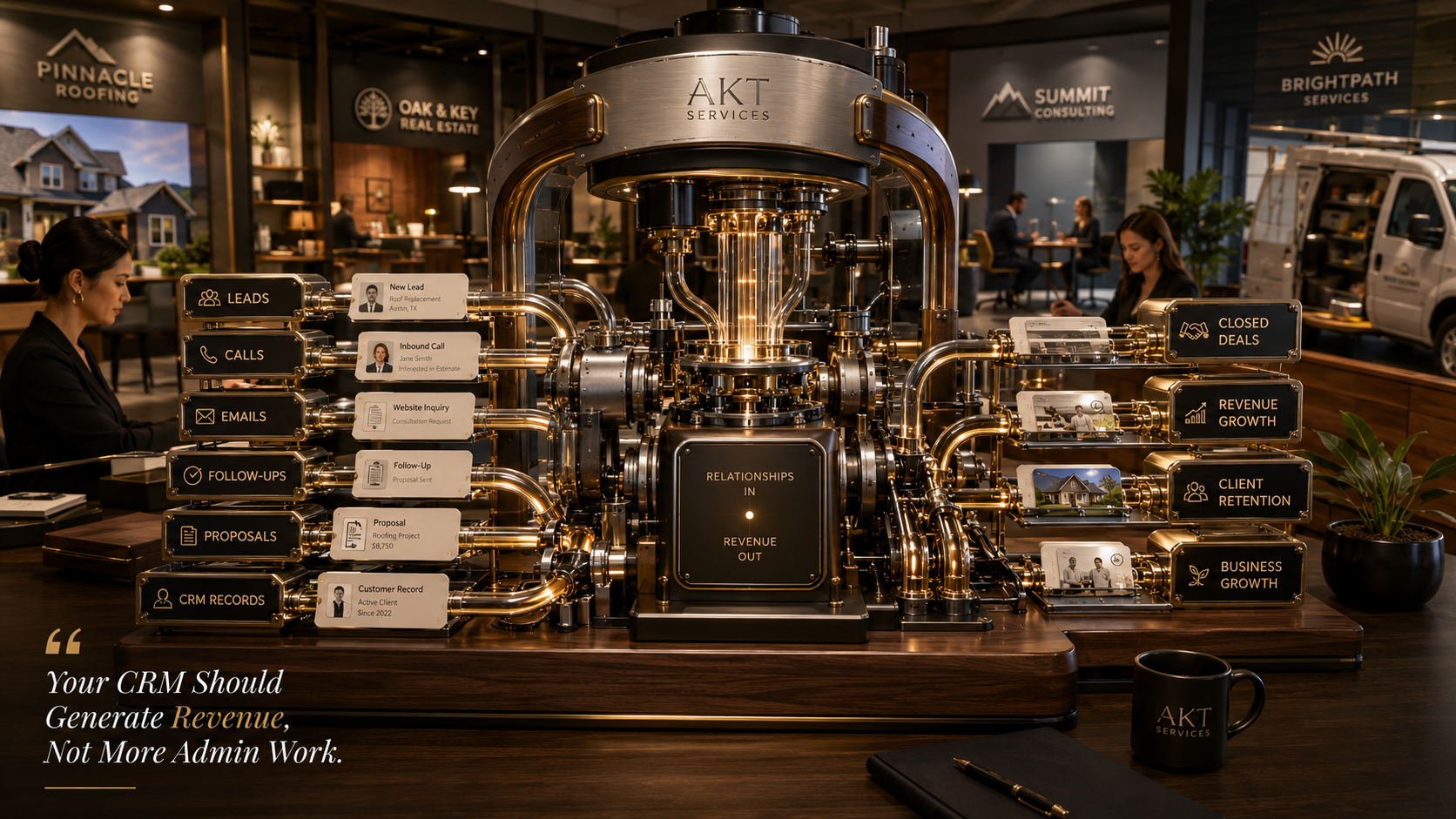
Smart, simple CRM tweaks with AI and virtual assistants can quietly turn your everyday customer database into a reliable, repeatable profit engine.
If you run a small business, you probably have a CRM that feels more like a necessary chore than a growth tool. Maybe it is a CRM builder platform, maybe it is GoHighLevel, or maybe it is something you signed up for because someone said you "had to have a CRM." Then life got busy, data got messy, and the big vision of automated follow-ups and perfect pipelines turned into a few half-finished workflows and a lot of manual work.
We see this all the time. The truth is, most small businesses do not need a huge IT team or custom software. What you really need is an **AI-powered CRM customization strategy** that takes the tools you already have and shapes them around how you actually work day to day.
In this article, we want to walk you through how we think about transforming a generic CRM into something that quietly supports you instead of something you constantly have to fight. We will talk about the role of AI, how virtual assistants fit in, why a CRM builder and GoHighLevel expert mindset helps, and some practical examples you can picture in your own business.
Why Most Small Business CRMs Underperform
The main problem is not the software. It is the gap between what the CRM can do and what it is actually set up to do for you.
Most CRMs are built to be everything to everyone. When you first log in, there are dozens of menus, pipelines, dashboards, and random features. It is powerful, sure, but it is not your business yet. Without a clear plan, it is easy to end up with:
- Duplicate contacts
- Incomplete notes
- Leads slipping through the cracks
- Manual copy-and-paste work between tools
- Team members who avoid the CRM altogether
On top of that, trying to fix everything yourself is exhausting. You already wear too many hats. Learning to become a full-time CRM builder or GoHighLevel expert simply is not realistic.
This is exactly where an AI-powered CRM customization strategy changes the game. Instead of you bending to the software, we reshape the software to match your real workflow.
What We Mean by AI-Powered CRM Customization
When we talk about AI-powered CRM customization, we are not talking about something futuristic or expensive. We mean using practical, accessible tools that already exist inside modern CRMs like GoHighLevel and similar platforms.
AI and automation can help your CRM:
- Clean and standardize data behind the scenes
- Score leads based on their likelihood to buy
- Trigger follow-ups automatically based on behavior
- Generate first-draft emails and SMS messages
- Route tasks to a virtual assistant at the right moment
Instead of a static database, your CRM becomes more like a living system that nudges you and your team when it is time to act, prepares half the work for you, and makes sure no one gets forgotten after that first interaction.
How Virtual Assistants Turn CRM Strategy into Daily Reality
We are big believers that technology alone is never the full answer. Fancy AI features are great, but someone still has to design the process, build the workflows, keep an eye on data quality, and handle the human touches that truly build trust with your customers.
That is where virtual assistants come in.
Think of a VA as the bridge between your vision and what actually happens inside the CRM every day. Instead of you trying to be the founder, salesperson, administrator, and GoHighLevel expert all at once, a virtual assistant can take care of things like:
- Updating contact records after calls or emails
- Tagging and segmenting leads correctly
- Monitoring automations to make sure nothing breaks
- Personalizing AI-generated messages before they are sent
- Scheduling follow-ups, calls, demos, or appointments
You stay focused on conversations, decisions, and strategy while the VA and the automation handle the repeatable, structured tasks in the background.
The Three Layers of a Profit-Ready CRM
To keep things simple, we look at CRM customization in three layers. When these layers line up, that is when an AI-powered CRM strategy really starts to produce results.
Layer 1: Clean, Simple Structure
First, your CRM needs a clear backbone. This usually includes:
- A defined pipeline that matches your real sales or client journey
- Standard fields for the information you actually use
- Clear tags and segments that mean something to your business
This is where a CRM builder mindset matters. We strip away clutter, create a simple map of your process, and make sure every lead and client has a logical place to live. It should feel intuitive, not overwhelming.
Layer 2: Smart Automations
Once the structure makes sense, we add automation in the right places not everywhere, just where it truly saves time or increases revenue.
Examples might include:
- New leads instantly receiving a warm, friendly welcome email
- Missed calls triggering a text message and a callback task
- Abandoned proposals receiving a gentle follow-up sequence
- Existing clients receiving check-in messages at key milestones
Using GoHighLevel-style tools, we can build workflows that follow your language, your timing, and your personality. AI can draft the messages, but we always tailor them so they sound like you, not like a robot.
Layer 3: Human Monitoring and Personal Touch
Finally, we add the human layer. This is where a virtual assistant reviews AI suggestions, checks for unusual situations, and steps in where a real person matters most.
For instance, a VA might:
- Review AI-written email drafts for tone and accuracy
- Adjust follow-up timing if a client responds differently than expected
- Escalate hot leads to you with notes and context
- Remove or update contacts to keep your database clean and healthy
Together, these three layers turn an ordinary CRM into an engine that steadily supports your monthly revenue without requiring you to micromanage the technology.
Practical Examples You Can Picture Right Now
It can help to imagine specific scenarios. Here are a few that come up often when we implement AI-Powered CRM Customization for Small Businesses: How Virtual Assistants and Automation Turn Generic Tools into Profit Machines (Without a Big IT Budget).
Example 1: Lead Capture and Fast Follow-Up
A new lead fills out a form on your site.
1. The CRM automatically creates a contact and adds them to a "New Inquiry" pipeline stage.
2. AI drafts a personalized welcome email from you, confirming what they asked for.
3. A virtual assistant reviews the draft, tweaks a sentence or two, and approves it.
4. The lead gets the email within minutes, plus an SMS reminder if they booked a call.
5. If they do not respond, an automated follow-up sequence kicks in over the next week.
No more missed opportunities because you did not have time to respond right away.
Example 2: Nurturing Warm but Not Ready Leads
Some people are interested but not ready to buy yet. Instead of forgetting them, the CRM can:
Tag them as "Warm – Not Ready"
Add them to a nurturing campaign with helpful content
Use AI to tailor messages based on what they asked about
Remind your VA to send something personal every few weeks
Over time, these leads start to feel like they know you. When they are finally ready, they are far more likely to come back to you rather than starting their search all over again.
Example 3: Protecting Your Time While Staying Available
If your phone rings all day, you risk burning out. But you also do not want missed calls to turn into missed revenue.
With the right setup:
Every missed call creates a task in the CRM
The caller gets an automatic text saying you will get back to them soon.
A virtual assistant calls them back, collects details, and updates the CRM.
You only jump in when the lead is qualified and ready for your attention.
Again, AI helps with scripts and notes, the CRM builder logic routes everything correctly, and your VA handles most of the back-and-forth.
Why GoHighLevel Expertise Matters (Even If You Never Log In)
If you are using GoHighLevel or a similar all-in-one CRM, the possibilities are huge. But without a GoHighLevel expert mindset, it is easy to end up paying for features you never touch.
We like to think of it like moving into a new house. The platform gives you all the rooms, outlets, and fixtures. Our job is to:
Decide which rooms actually matter for your daily life
Set up the furniture and storage so it feels natural
Label the drawers so you can find things quickly
Install a few smart home automations to make life easier.
When AI-Powered CRM Customization for Small Businesses: How Virtual Assistants and Automation Turn Generic Tools into Profit Machines (Without a Big IT Budget) is done well, you do not spend your day thinking about the software at all. You just notice that follow-ups happen, leads stay organized, and money does not get left on the table as often.
How This Approach Protects Your Budget
One of the biggest fears we hear is: "We cannot afford a big tech project."
That is completely fair. The good news is, you do not need one. With the right combination of a flexible CRM builder tool, a GoHighLevel expert-style setup, an AI layer, and a virtual assistant, you can:
Avoid hiring full-time, in-house admin staff
Avoid paying a developer to code custom software
Use tools you may already be paying for more effectively
Start small and expand your automations as results show up.
Instead of a giant upfront investment, you get steady, compounding improvements. A few hours of VA time here, a targeted workflow there, and suddenly you notice that more leads convert, fewer clients slip away, and your calendar feels more under control.
Signs Your CRM Is Ready for an Upgrade
If you are wondering whether AI-Powered CRM Customization for Small Businesses: How Virtual Assistants and Automation Turn Generic Tools into Profit Machines (Without a Big IT Budget) is worth exploring, here are some simple signals:
You are manually sending the same emails again and again.
You or your team keep forgetting to follow up.
You have no clear view of where each lead or client stands.
Your CRM "kind of works," but no one really trusts the data.
You feel guilty every time you log in and see a mess.
These are not signs that you failed. They are signs that you have simply outgrown a basic setup and could benefit from a more thoughtful, supported system.
What It Feels Like When Your CRM Finally Works for You
When everything clicks, the experience is noticeably different. Your day feels a bit calmer. You spend more time talking to the right people and less time hunting through emails or spreadsheets.
Conversations feel more personal because the context is right there in front of you. A virtual assistant quietly keeps the gears turning. AI helps you sound like your best, most organized self, even on a busy day. And the CRM builder structure underneath it all keeps data clean enough that you can make decisions without second-guessing the numbers.
This is what we mean when we talk about AI-Powered CRM Customization for Small Businesses: How Virtual Assistants and Automation Turn Generic Tools into Profit Machines (Without a Big IT Budget). It is not about bells and whistles. It is about a setup that supports how you already work, so growth feels manageable instead of chaotic.